
Beschreibung
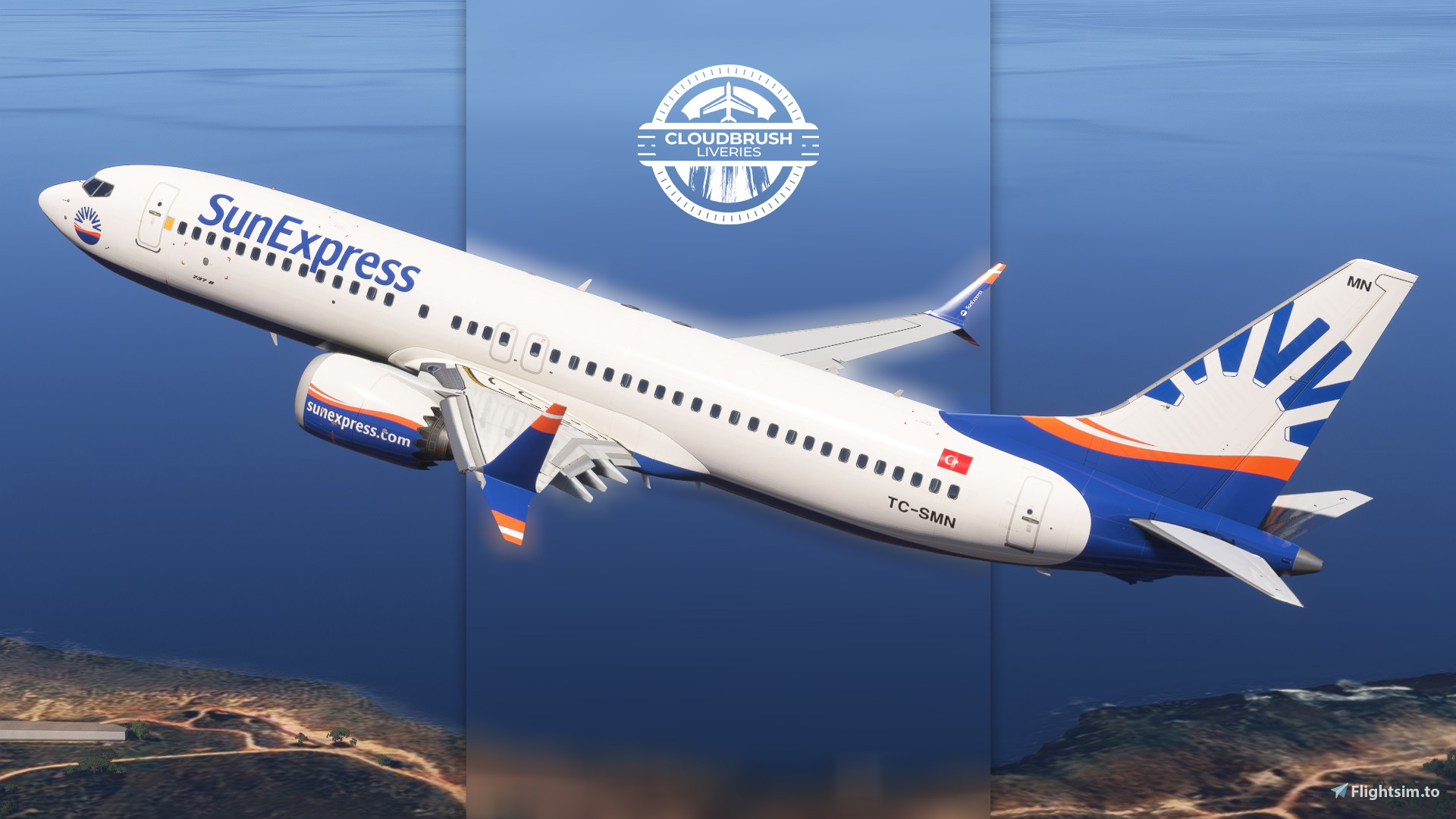
SunExpress TC-SMN
Instructions:
1 - Drag and drop the livery folder into your community folder;
2 - Open iFLy Manager; and select the simulator version;
3 - Click on "Manage Product";
4 - Then "Open Data Folder" button;
5 - Open the "work" folder;
6 - Drag and drop the “.ini" file into the "work" folder.
Hope you enjoy flying it as much as I did painting this livery! :D
Livery painting takes time, hence why requests are paid :D
You can place your order via our Discord server! Join now: https://discord.gg/8teXcGhNYa
Shout out to Cpt.Kiano for trusting me with this project. Hope you enjoy the flights!
iFly 737 MAX 8 SunExpress TC-SMN
This add-on provides a custom SunExpress TC-SMN livery for the iFly 737 MAX 8 in Microsoft Flight Simulator. The package includes installation instructions for both the livery and a configuration file. Designed for use with the iFly 737 MAX 8 aircraft, this livery aims to accurately represent the SunExpress airline. Suitable for users seeking to enhance realism in their simulator experience.

Nutzerbewertungen
2 Bewertungen
Versionsgeschichte
Interior wasn't showing;
Ähnliche Addons

Sunexpress [Package] w/Cabin IFly B737 MAX 8
This add-on features a detailed Sunexpress livery package for the IFLY Boeing 737 MAX 8, reflecting the livery state of October 2024. It includes multiple aircraft registrations (TC-SMB, TC-SMP, TC-SOL) and a custom cabin layout specific to Sunexpress. The package boasts accurate coloring, original logos and stencils, alongside specifically designed PBR textures made in collaboration with Jviation. Users are advised to follow the included installation instructions for optimal setup within Microsoft Flight Simulator.
von Atarium

iFly 737 MAX 8 - SunExpress TC-SOI - "VfB Stuttgart"
This add-on features a custom livery for the iFly 737 MAX 8, depicting the SunExpress aircraft TC-SOI, themed after the VfB Stuttgart football club. The installation is straightforward; simply drag and drop the livery folder into the community folder and follow the included instructions for configuration. This design is the result of a request from the Flightsim.to community, showcasing attention to detail in the painting process.
von CloudBrush

iFLY | 737-MAX 8 | Sunexpress TC-SMF 'Crystal Palace FC' Livery 4K
This add-on provides the Sunexpress TC-SMF Crystal Palace FC special livery for the iFLY 737-MAX 8 in Microsoft Flight Simulator 2020 and 2024. The livery features unique Crystal Palace South London and Proud branding with an eagle motif on both sides of the aircraft. Additional interior elements such as SunExpress seats and safety cards are included. Installation is completed by adding the texture folder and configuration file as instructed.
von liamncl89

iFly 737 MAX 8 - SunExpress TC-SMV
This add-on features a custom SunExpress livery for the iFly 737 MAX 8, representing the TC-SMV registration. It includes the required files and instructions for proper installation using the iFly Manager. The livery is designed to closely match the real-world appearance of the SunExpress aircraft. Suitable for users seeking an authentic SunExpress experience in Microsoft Flight Simulator.
von CloudBrush
Melden Sie sich an, um an der Diskussion teilzunehmen
AnmeldenKommentare16
1 - Drag and drop the livery folder into your community folder;
2 - Open iFLy Manager; and select the simulator version;
3 - Click on "Manage Product";
4 - Then "Open Data Folder" button;
5 - Open the "work" folder;
6 - Drag and drop the “.ini" file into the "work" folder.