
Beschreibung
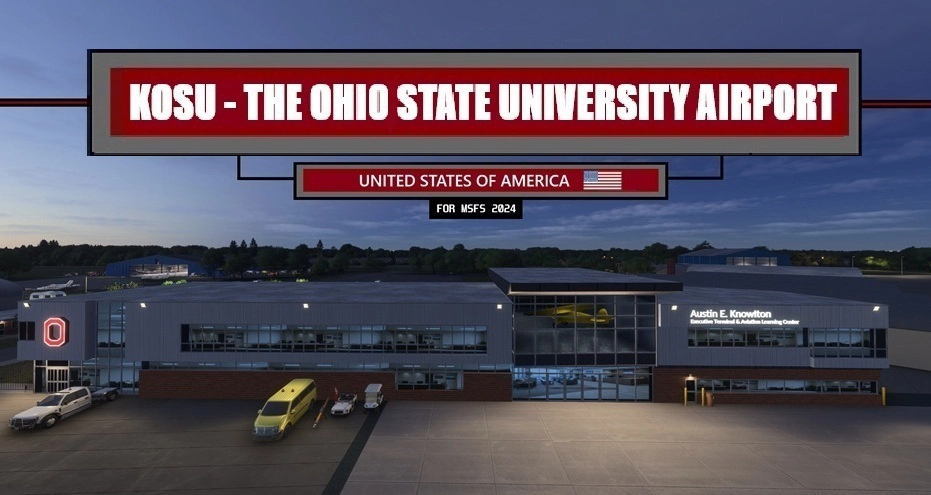
Featuring over 30+ Custom Buildings. All updated Runway, Taxiway and Ramp textures, designations and signage. Several inside hangar parking spots available for selection!
🚨ATTENTION SayIntentions users🚨:I have published a custom AI Traffic profile for this airport
- Open TaxiTuner -> ICAO: KOSU -> Select "KOSU-Custom Airport - by EMBCreations" -> Click "Set my default". This profile is compatible with all 3 downloads.
35+ Custom Buildings/Objects (Created in Blender) using reference photos featuring:
-Austin E. Knowlton Aviation Center
-Basic Piper J-3 Cub (suspending in Knowlton Center)
-ATC Tower
-Spartan Hangar
-ATP Hangar
-LabCorp Hangar
-OSU Fire Station
-Multiple T & Corporate Hangars
...and much more
-Massive Overhaul of all TWY / RWY / Ramp textures, markings, designations and signage to match real airport
-9L/27R: Added unique landing markings
-14/32: Added "Xs" and appropriate textures that reflect its decommissioned status
-Accurate RWY lighting based of Jeppesen Charts
-Several selectable inside T & Corporate hangar parking spaces
-Ground-up rebuild of the newer Knowlton Center Parking Lot
-3D Glass featured in specific hangars and ATC Tower
...and much more!
-Added missing 9L/27R numbers
-Added missing A8 Taxiway & associated Ramp Areas
-Added missing LabCorp Hangar
-Added several missing roads and hangar parking lots
-Removed all signage, markings, designations, etc associated when RWY 14/32 was operational
-Removed extended runup areas for 9R/27L that no longer exists
-Removed decommissioned taxiway near Ramp / RWY 5 departure end
-Removed several patches of photogrammetry tree "spikes" surrounding the airport
-Removed large tree area to the left of RWY 27L approach (removed in real-life)
-Removed Rotating Beacon structure from ramp area
-Moved VASI & PAPIs to proper positions
-Moved Windsocks to correct locations
-Repairs to several deformations around runways and taxiways (especially RWY 27L...yikes)
I know having fixed static planes isn't for everyone, so I created 3 options (see below). Only the respected aircraft and its associated chocks are removed. Everything else is present and the same in all 3 files
- "MAIN FILE": All Static Planes present at airport
- "Static Planes Hangar ONLY": No Static planes parked on ramp areas, just in hangars
- "No Static Planes": Removes ALL static planes from the airport
-VERY IMPORTANT: This airport was built and designed with Photogrammetry ON (undesired effects with terrain and texturing may result with it OFF)
-I cannot guarantee MSFS 2020 backwards compatibility
-RWY 14/32 can still be selected for a departure RWY (couldn't find a way to remove it)
-Pilots spawn in static planes: To the best of my knowledge there is no way to remove them
-The Static planes are from the scenery library and not connected to MSFS AI Traffic
Thank you to everyone in the community that has left kind words, compliments and ratings for my previous airports. I truly hope this airport adds to your enjoyment and immersion for MSFS 2024. 💖
Feel free to leave a comment and/or rating. Cheers!
Location
KOSU - The Ohio State University Airport v1.2
Featuring over 30+ Custom Buildings. All updated Runway, Taxiway and Ramp textures, designations and signage. Several inside hangar parking spots available for selection.

Unterstützer

Nutzerbewertungen
4 Bewertungen
Versionsgeschichte
Discovered 2 Hangars skipped the optimization step during their development (Excessive draw calls & Node counts) - FIXED.
Ähnliche Addons
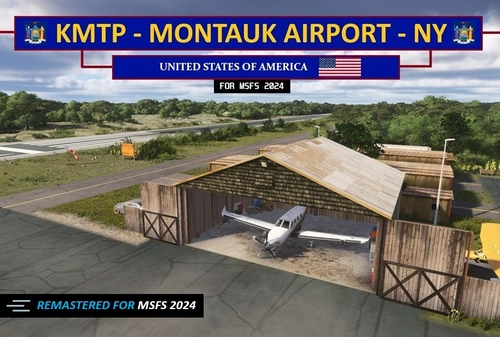
KMTP - Montauk Airport - NY (MSFS 2024 edition) V1.5
A remastered MSFS 2024 version of the MSFS 2020 KMTP airport. Features include everything from the 2020 version plus 3d rocks, new large diversity of plants and trees, 3d weeds in the marshlands, textures etc. Taking full advantage of all the enhancements MSFS 24' brings.
von EMBcreations
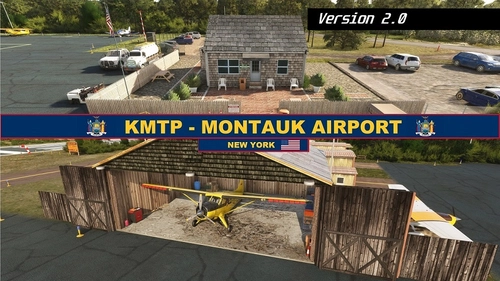
KMTP - Montauk Airport - NY - MSFS 2020 edition
Enhance your Long Island experience with the custom-created Montauk Airport (KMTP). This add-on includes 3D custom buildings and objects, private hangar parking, tiedown and ramp parking spots, as well as reworks and fixes for a more realistic airport environment. Explore this detailed scenery and enjoy a more immersive flight simulation experience.
von EMBcreations
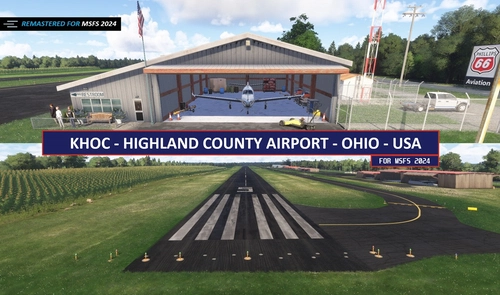
KHOC - Highland Co. Airport - MSFS 2024 edition V1.4
A faithful remaster of my 2020 version for MSFS 2024. Brings in latest graphical enhancements for MSFS 2024. Includes a new 3d cornfield, 3d rocks and vegetation, updated runway textures, fixes to surrounding satellite imagery and much more!
von EMBcreations
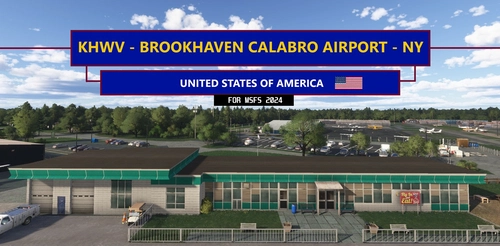
KHWV - Brookhaven Calabro Airport - NY V1.2
Featuring over 30+ Custom Buildings, fixes TWY signage & Designations, enhanced RWY & TWY ground textures, Static Airplanes, Several Tie-Down & Hangars available to select for parking and much more!
von EMBcreations
Melden Sie sich an, um an der Diskussion teilzunehmen
AnmeldenKommentare(21)
4 months ago
4 months ago
4 months ago
Changelog (applies to all 3 files):
-Corrected taxiway sign designations near FBO ramp now current to real life
-Added Windsock to T-Hangar A West's roof that is present at real airport
-Fixed breaks & dashed marking spacing issues in centerline taxiway lines
-RWY 27R departure end: Edges added show a distinction between it and RWY 23
-RWY 23: Darker chevron borders
-Added 3d rocks to dirt patch near t-hangars
-Minor changes to dark asphalt border line & color around FBO ramp that matches current pavement
-Fixed some manholes missing sewer drains
-Reworked how taxiway centerline markings visually meet at intersections
5 months ago
5 months ago
Dieser Kommentar wurde gelöscht
5 months ago
If you could let me know if that fixes it or not. Thanks again for your report about this.
5 months ago
5 months ago
Have you tried it without static planes? Just curious if the additional rendering of the pilots in them may possibly be causing a higher load for some reason.
5 months ago
5 months ago
5 months ago
5 months ago
5 months ago
5 months ago
5 months ago
5 months ago
5 months ago
5 months ago
5 months ago