
Beschreibung
-> Join Discord for Support!
https://discord.gg/mshqUQMmMb
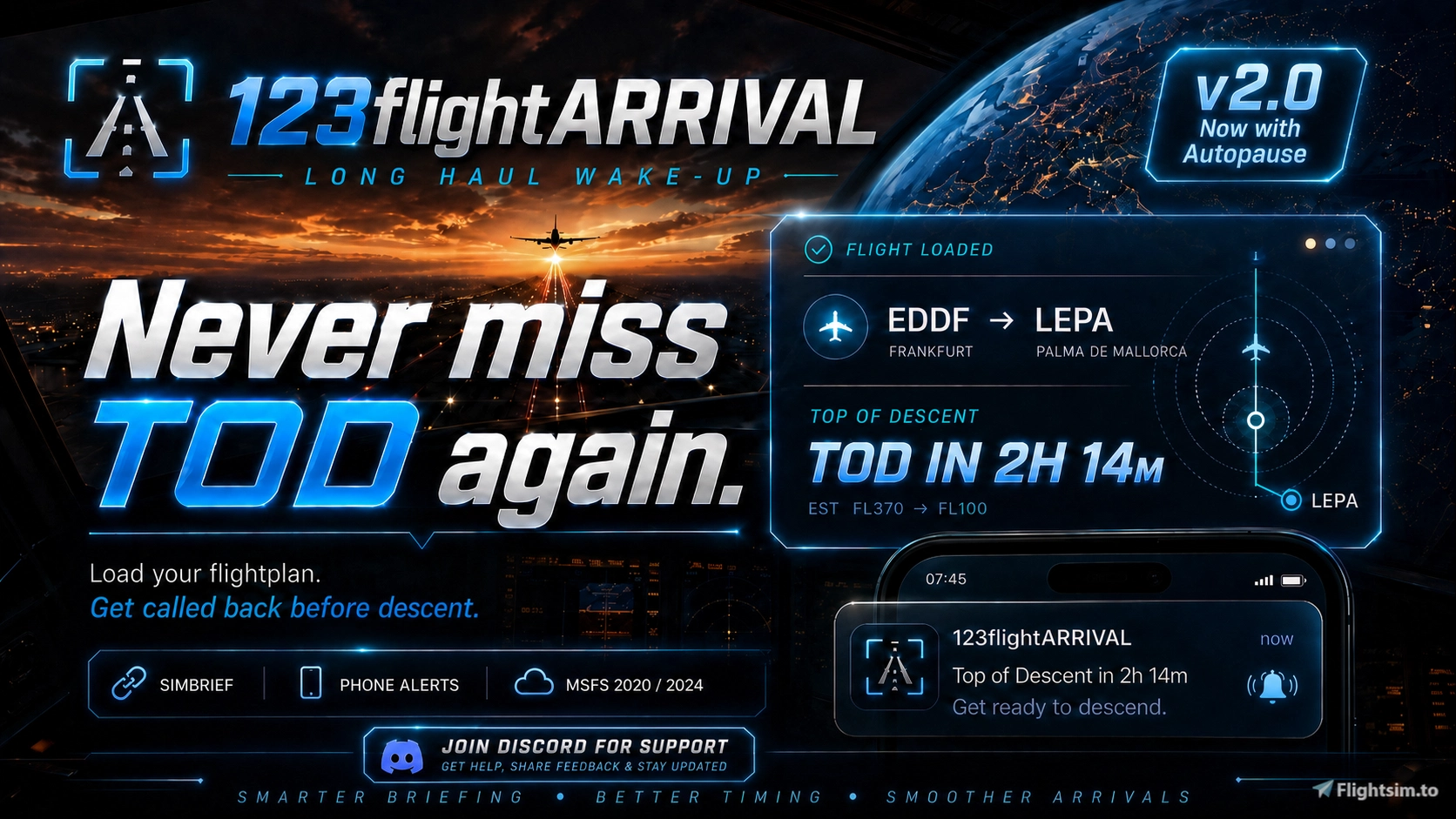
✈️ 123flightARRIVAL 2.5 is a lightweight long-haul wake-up Windows App for Microsoft Flight Simulator 2020/2024. Now with Pause on TOD!
Running a long-haul flight while away from your PC?
Using sim rate during cruise?
Afraid of missing Top of Descent?
123flightARRIVAL watches your flightplan, calculates your Top of Descent window, and alerts you before it is time to come back to the cockpit.
Load your SimBrief OFP or import an MSFS .PLN file, enable phone alerts, arm the monitor — and keep your long-haul running without babysitting the sim for hours.
🛠 Core Idea
Load your flightplan. Get called back before descent.
Local TOD Voice Reminder App for Windows.
🔥Features
- SimBrief flightplan import
- Simconnect
- MSFS
.PLNflightplan import - Top of Descent countdown
- Long-haul wake-up voice alerts
- Phone alerts via ntfy
- Local alert fallback
- SimRate awareness
- Simple route summary
- Designed for MSFS 2020 and MSFS 2024
- Lightweight standalone companion app
- No FPS impact
- No account required for the app itself
- Pause on TOD option
How It Works
- Start 123flightARRIVAL.
- Load your SimBrief OFP or import an MSFS
.PLN. - Enable phone alerts.
- Arm the TOD monitor.
- Leave the cockpit.
- Get notified before descent.
Phone Alerts
Note: Windows SmartScreen may appear because the app is new and not code-signed yet.
✈️ 123flightARRIVAL ist ein schlankes Long-Haul Wake-Up Windows Tool für Microsoft Flight Simulator 2020/2024. Jetzt mit Pause on TOD!
Du lässt einen Langstreckenflug laufen?
Du nutzt SimRate im Cruise?
Du willst nicht stundenlang am PC sitzen, nur um den Top of Descent nicht zu verpassen?
123flightARRIVAL lädt deinen Flugplan, berechnet dein Top-of-Descent-Fenster und alarmiert dich rechtzeitig, bevor du zurück ins Cockpit musst.
Einfach SimBrief OFP laden oder MSFS .PLN importieren, Phone Alerts aktivieren, TOD Monitor scharfstellen — und den Flug laufen lassen.
🛠Kernidee
Flugplan laden. Vor dem Sinkflug zurückgerufen werden.
Lokale TOD Voice Reminder App für Windows.
🔥Features
- SimBrief Flugplan-Import
- Simconnect
- MSFS
.PLNFlugplan-Import - Top-of-Descent Countdown
- Long-Haul Wake-Up Voice Alerts
- Phone Alerts
- lokaler Alarm als Fallback
- SimRate-Awareness
- klare Route Summary
- für MSFS 2020 und MSFS 2024
- schlanke Standalone-App
- kein FPS Impact
- kein App-Account nötig
- Pause on TOD Option
So funktioniert es
- 123flightARRIVAL starten.
- SimBrief OFP laden oder MSFS
.PLNimportieren. - Phone Alerts aktivieren.
- TOD Monitor scharfstellen.
- Cockpit verlassen.
- Rechtzeitig vor dem Sinkflug benachrichtigt werden.
Phone Alerts
Hinweis: Das Tool ist Open Source und absolut sicher. Falls Windows SmartScreen eine Warnung anzeigt, klicke einfach auf „Trotzdem ausführen“.
123flightARRIVAL 2.5 | Long Haul Wake-Up & TOD Phone Alerts Windows App
123flightARRIVAL 2.5 is a lightweight Windows companion app for Microsoft Flight Simulator 2020 and 2024 designed for long-haul flights. The tool monitors your loaded SimBrief or MSFS flight plan to calculate your Top of Descent and provides local and phone alerts to notify you before descent. Features include Simconnect integration, SimRate awareness, and route summaries. The standalone app operates without affecting simulator performance and does not require an account. Now with Pause on TOD Option.

Nutzerbewertungen
7 Bewertungen
Versionsgeschichte
# Changelog / Änderungsprotokoll English New - **Premium UI cleanup**: The interface has been made calmer, clearer and more premium. The phone/ntfy area is less dominant, and the ARM area now behaves more like a focused mission-control block. - **Descent Settings**: The former Advanced Descent logic is now explained in user-friendly language. Technical labels were replaced with clearer terms such as Target Height, Descent Profile and Extra Distance. - **Descent Auto-Stop**: After TOD is reached, the app automatically stops the active alert cycle once stable descent is detected. This prevents further TOD/overdue warnings when the descent has already started. #### Changed - Release metadata, app title, build artifacts, installer name and documentation have been updated to **v2.5**. - **ntfy topic guard**: Test, arm and phone alerts are blocked when the topic is empty, shorter than 6 characters, invalid, a public example/product topic or any topic containing `123`. Users must use their own private ntfy topic. - The ntfy topic field is no longer prefilled with an example topic. The user must consciously enter a private topic. - **Pause on TOD** remains available as an optional SimConnect feature. The security notes now correctly state that the app can send pause/resume events. - The collapsed Descent Settings row now shows a readable summary of the current setting. - Dead UI code for a removed system line has been deleted. --------------------- Deutsch Neu - **Premium UI Cleanup**: Die Oberfläche wurde ruhiger, klarer und hochwertiger aufgebaut. Der Phone-/ntfy-Bereich ist weniger dominant, der ARM-Bereich wirkt jetzt wie ein sauberer Mission-Control-Block. - **Descent Settings**: Die frühere Advanced-Descent-Logik wurde nutzerfreundlich erklärt. Statt technischer Begriffe gibt es klare Begriffe wie Target Height, Descent Profile und Extra Distance. - **Descent Auto-Stop**: Nach erreichtem TOD beendet die App den aktiven Warnzyklus automatisch, sobald ein stabiler Sinkflug erkannt wird. Dadurch laufen keine weiteren TOD-/Overdue-Warnungen weiter, wenn der Descent bereits begonnen hat. #### Geändert - Release-Metadaten, App-Titel, Build-Artefakte, Installer-Name und Dokumentation wurden auf **v2.5** umgestellt. - **ntfy Topic Guard**: Test, Arm und Phone Alerts werden blockiert, wenn das Topic leer, kürzer als 6 Zeichen, ungültig, ein öffentliches Beispiel-/Produkt-Topic oder ein Topic mit `123` ist. Nutzer müssen ein eigenes privates ntfy Topic verwenden. - Das ntfy Topic-Feld ist nicht mehr mit einem Beispieltopic vorausgefüllt. Der Nutzer muss bewusst ein eigenes Topic eintragen. - **Pause on TOD** bleibt als optionale SimConnect-Funktion erhalten. Die Sicherheitsdokumentation benennt jetzt korrekt, dass die App Pause/Resume-Events senden kann. - Die geschlossene Descent-Settings-Zeile zeigt jetzt eine verständliche Zusammenfassung der aktuellen Einstellung. - Toter UI-Code für eine nicht mehr vorhandene Systemzeile wurde entfernt.
Melden Sie sich an, um an der Diskussion teilzunehmen
AnmeldenKommentare(50)
2 months ago
Nachdem ich ja längere Strecken (EDDM-KMIA, EDDM-KLAX etc.) bevorzuge ist das der GameChanger mit der Benachrichtigung.
Ich kann nur 5 Sterne geben alles andere wäre nicht möglich weil es einfach alle verdient hat
2 months ago
2 months ago
2 months ago
4 months ago
4 months ago
4 months ago
Thanks
4 months ago
4 months ago
If the notification arrives silently on iPhone, it is usually related to iOS or ntfy settings, for example:
* iPhone Silent Mode enabled
* Focus Mode / Do Not Disturb active
* Notification sounds disabled for ntfy
* Notification priority settings inside ntfy
* Low notification volume
* Background notification restrictions from iOS
The app cannot directly control Apple’s notification sound behavior.
Also make sure the ntfy app itself is installed and allowed to play sounds in iOS notification settings.
4 months ago
4 months ago
-> Join Discord for Support!
https://discord.gg/mshqUQMmMb
4 months ago
Thanks,
J
4 months ago
4 months ago
4 months ago
4 months ago
If the notification arrives silently on iPhone, it is usually related to iOS or ntfy settings, for example:
* iPhone Silent Mode enabled
* Focus Mode / Do Not Disturb active
* Notification sounds disabled for ntfy
* Notification priority settings inside ntfy
* Low notification volume
* Background notification restrictions from iOS
The app cannot directly control Apple’s notification sound behavior.
Also make sure the ntfy app itself is installed and allowed to play sounds in iOS notification settings.