
Beschreibung
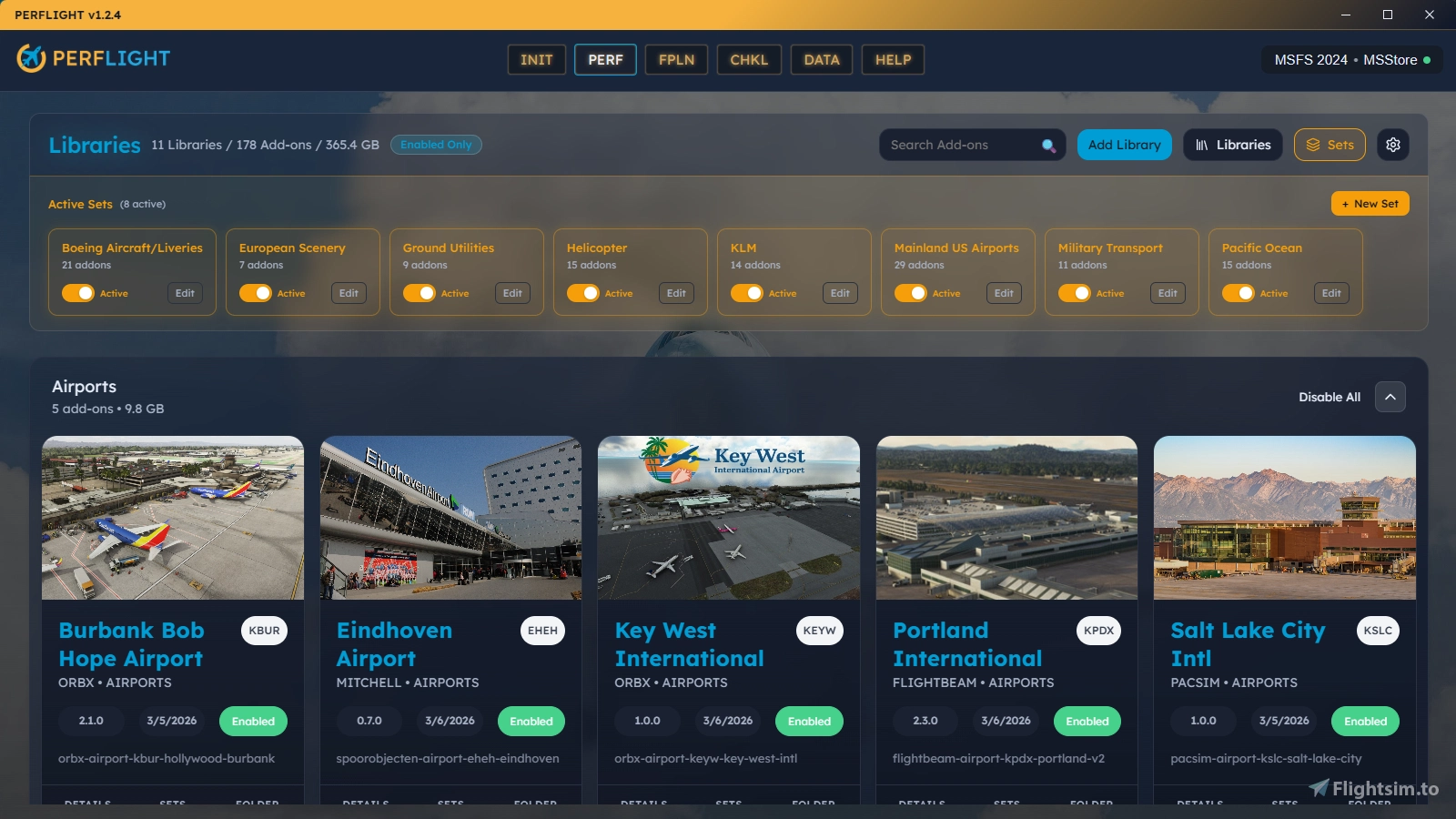
PERFLIGHT is a companion app that brings all your pre-flight preparation into one place. Manage your addon library, launch your flight services, sync your SimBrief flight plan, and work through a customizable pre-flight checklist — all before you ever open the simulator.
Flight Services
One-click launchers for Navigraph Hub, Charts, SimBrief, VATSIM, IVAO, PMDG, and more. Add your own custom services — local applications or web URLs — with custom colors and labels.
Addon Library Management
Store addons in your own library folders outside the Community folder. Enable or disable them with a click (creates/removes directory junctions). Browse by category, developer, card view, or table view. Group addons into reusable Sets for quick batch activation. Quickly edit addon metadata and replace thumbnails with custom images.
Pre-Flight Checklist
Build your own step-by-step checklist modeled after real aviation checklists. Six step types: Sync Flight Plan, Launch Service, Open URL, Manual Reminder, Activate Addons, and Launch Simulator. Drag-and-drop to reorder. Steps execute their action when checked — sync your flight plan, launch Navigraph, activate addons, all inline.
Smart Actions
When you sync a SimBrief flight plan, PERFLIGHT detects which aircraft and airport scenery your route needs and prompts you to activate them. One click to enable, or search Flightsim.to, iniBuilds, and Contrail if you're missing something.
Additional Features
- Supports MSFS 2024 and MSFS 2020 (Store and Steam editions)
- One-click migration from MSFS Addon Linker (imports folders, presets, and geolocation data)
- Pilot profiles with SimBrief and VATSIM ID validation
- Auto-detects Community folder location including custom install paths
- File watcher monitors library folders for addon changes
- Built with Tauri (Rust + React) for a fast, lightweight native experience
PERFLIGHT is by built pilots for pilots! Join our Discord to share ideas and help shape what comes next.
Häufig gestellte Fragen
PERFLIGHT Addon Manager, Pre-Flight Checklist & Service Launcher
PERFLIGHT is a comprehensive simulator companion application designed to streamline pre-flight preparations for Microsoft Flight Simulator users. It allows for the management of addon libraries, quick access to flight services, and supports customizable pre-flight checklists. With features like smart actions for syncing flight plans and one-click launching of essential tools, PERFLIGHT enhances the organization and efficiency of flight setup. Supports both MSFS 2024 and 2020.


Nutzerbewertungen
2 Bewertungen
Versionsgeschichte
What's Fixed False Change Alerts When Activating Addons - Activating, deactivating, or bulk-toggling addons no longer triggers a "Library changes detected" warning and sound for a change you just made yourself. Genuine changes made by other apps are still reported. Duplicate Change Notification - The "Library changes detected" warning and its sound now appear once per change instead of twice. Startup Error for Removed Libraries - Removing a library folder no longer produces a "Failed to watch some libraries" error on the next launch.
Melden Sie sich an, um an der Diskussion teilzunehmen
AnmeldenKommentare(48)
4 months ago
4 months ago
the instaler thinks its not instaled so hard to know when you need to update
4 months ago
5 months ago
5 months ago
5 months ago
5 months ago
6 months ago
6 months ago
6 months ago
Other problem is, even the liveries are showing enabled, it's not showing up inside the simulator. It was working fine on Addon Linker.
6 months ago
6 months ago
6 months ago
I can’t add my VATSIM ID. When I click save and validate, something goes wrong.
6 months ago
6 months ago
6 months ago
6 months ago
6 months ago
- "Aircraft & Liveries" means that if I want to just look at my aircraft, I have to wade through potentially hundreds of liveries. Could these potentially be separated? EDIT: I see it's possible to create custom categories! Nice.
- Bulk editing: I have a TON of stuff from flightsim.to as many do, and having to go into each one of them just to say that's where I got them is tedious. It would be nice to be able to do some kind of bulk edit. EDIT: Added this to the wishlist on featurebase.
6 months ago