
Flightsim.to
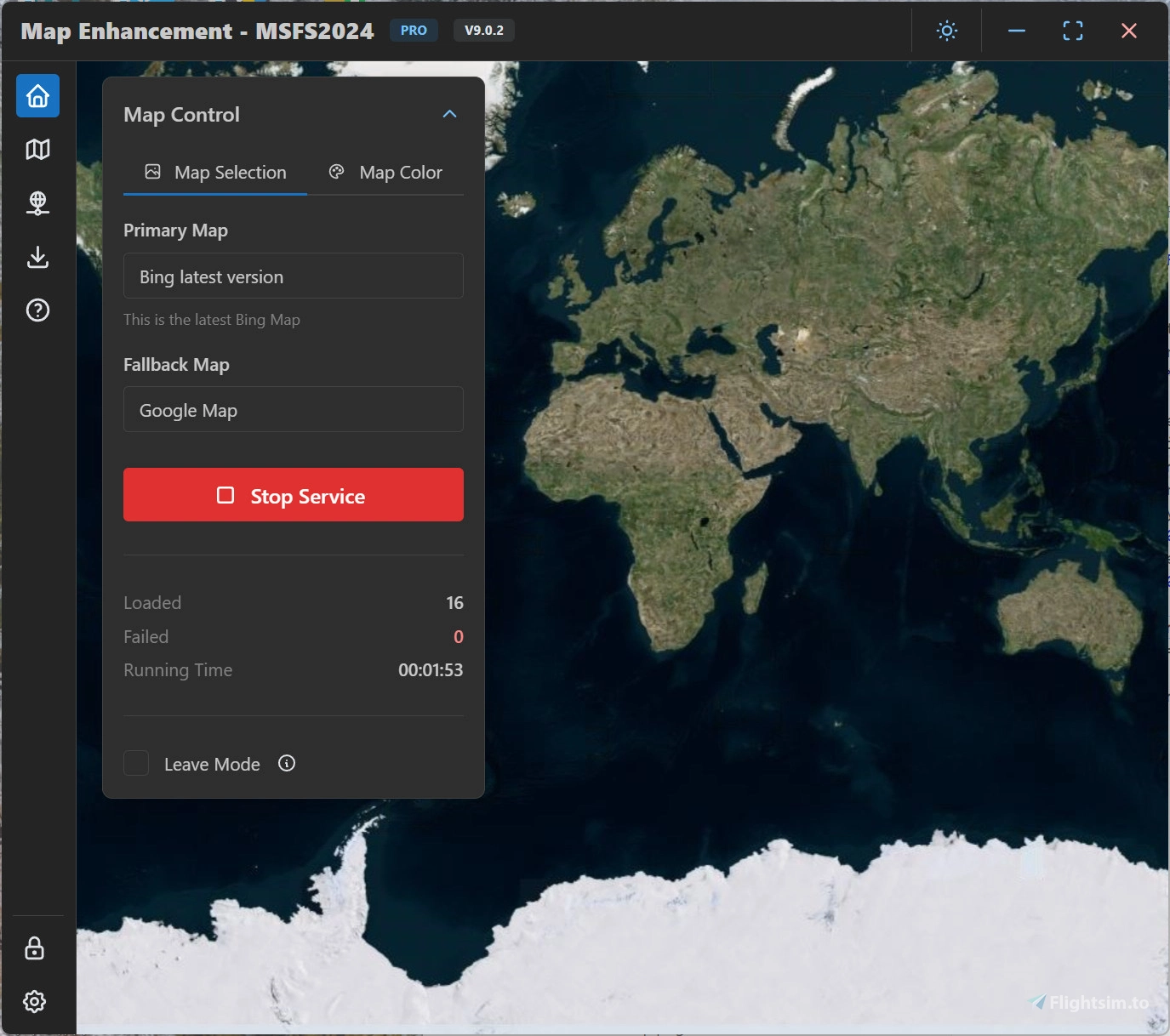
    MSFS Map Enhancement - Image 1

    Beschreibung

    Please read the user manual here: User manual

    Latest release: https://github.com/derekhe/msfs2020-map-enhancement/releases

    The official webiste: www.aiflygo.com

    If you have any issue to report, please visit: https://github.com/derekhe/msfs2020-map-enhancement/issues?q=is%3Aissue%20state%3Aclosed

    There are good comparison videos:

    Microsoft Flight Simulator Google MAPS ADDON | Bing Vs Google!

    Google Flight Simulator? Google Map Enhancement Mod in Microsoft FS2020 (Demo, Review, and Install)

    More videos:

    https://www.youtube.com/results?search_query=msfs2020+google+map

    About the licensing

    The app is completely free and same features as before, no license is needed for previous features. All maps it currently contains are free. Free features are always kept updated.
    Some advanced features (e.g. custom map provider and future features) need a pro license.

    You can find out how to get a pro license here: https://github.com/derekhe/msfs2020-map-enhancement/wiki/License

    Melden Sie sich an, um an der Diskussion teilzunehmen

    Anmelden

    Kommentare(7,245)

    S

    about 2 hours ago

    The new ground detail adjustment, am I right in guessing its the hybrid map zoom levels?
    T

    about 12 hours ago

    If there any chance of apple maps as an option? They've done a ton of work lately and it's incredible.
    E

    1 day ago

    Where is the advanced options : I don't see thelm in your program (I see advanced options, but not with this option)
    w

    3 days ago

    Confused by the new update and the "Ground Detail Adjustment". Are 512x512px textures supported again? Confused how there can be higher detail than "Game Original" without support for High Definition Textures. This would be awesome if it's back!
    d
    derekheAuthor

    2 days ago

    It is not 512*512 textures but another magic happen. Just try and see the differences.
    D

    5 days ago

    The links to the manual and official website are not clickable.
    d
    derekheAuthor

    5 days ago

    Updated
    U

    14 days ago

    This comment has been deleted
    w

    14 days ago

    its a global MSFS server issue. This mod is not the reason why the game is broken lol.
    A

    14 days ago

    I do not recommend downloading it.

    Note that I purchased the Pro version
    P

    8 days ago

    Works great for me! and I've been using it for a long long time.
    e

    15 days ago

    I have a few questions about the MSFS Map Enhancement app.
    1) When one adjust the colours under Map Control Tab, are the resulting changes supposed to show in the MSFS? (They don't on mine. I see the changes only on app map itself.)
    2) Am I supposed to see any differences on the MSFS when I change the Primary Map? (I don't on mine.)
    3) Is there any way at all to know if MSFS Map Enhancement is actually working on MSFS 2024? (I can't tell at all if anything is working on mine..)
    4) Are any changes made to MSFS when I run it without the Map Enhancement app?

    Thanks.
    s

    16 days ago

    I used this mod in 2020 up until the LOD changes were forced upon us. Loved it until then, not devs fault btw. I switched to xplane 12 so I could use the PRO xp12 version of map enhancement and have been blown away by the quality there. Regular app/map updates (huge if you take world wide) have convinced me to stick with this dev. The scenery in xp12 is now so good....I havent used msfs for 8 months.
    My questions to dev are:
    how is the mod working today in 2020? I'll never use 2024. Is the pro version comparable to what I get in xplane? Is there some 'nerfing' done by the sim by Asobe/MS to cripple the fantastic maps I get in xp12? If I did get pro version for msfs I have a huge data storage of xp12 maps can they use same maps for the world? Or new separate folders needed?
    I'm unlikely to go back to msfs now but the info might help others.
    Keep up the great work, for those of us who CARE about the best look with no compromise I'm grateful for your apps. I only wish I could buy a lifetime xp12 license as it's a pain for me renewing and I despise subs in general. I just want to fly and forget!
    Cheers
    RG
    D

    8 days ago

    Any chance you can do a YouTube video to show what you get in xplane? Curious
    A

    23 days ago

    make a dedicated 2024 one and keep the 2020 one so i dont have to use your shortcut to launch the app, instead i can just use the EXE. Trying to launch it via skyhub and it only starts 2020.
    c

    about 1 month ago

    I have blurry terrrain, will this solve the problem?
    F

    22 days ago

    Increase your TLOD
    a

    19 days ago

    @
    hjaviation i don t think you understand what he saying , i have the same problem , after 1 week or so seems like the mod does not load the images anymore far away so you forced to delete the rolling cache again and again to be smooth . happened before .
    j

    about 1 month ago

    Windows 11 required??? wtf
    ...
    MSFS 2020MSFS 2024

    MSFS Map Enhancement

    Enhance your Microsoft Flight Simulator 2020/2024 map experience with the MSFS Map Enhancement add-on. Easily download, install, and run this mod to enjoy improved mapping features in the game. Check out comparison videos showcasing the enhanced maps in action and access additional resources for troubleshooting and updates. Upgrade to a pro license for advanced features, while enjoying the free and regularly updated basic functionalities.


    Downloads664K
    Version9.6.2
    Dateigröße194.8 MB
    VeröffentlichtVor 4 Jahren
    AktualisiertVor 5 Tagen

    Nutzerbewertungen

    3.9

    951 Bewertungen

    5
    56%
    4
    8%
    3
    4%
    2
    3%
    1
    12%

    More Information

    Simulator
    MSFS2020/24
    KategorieUtilities
    Sub-CategoryTweaks

    Versionsgeschichte

    Ground Detail can now be fine-tuned continuously from Low to Extreme, making it easier to find the right balance between clearer ground textures and smooth simulator performance for your system. Add altitude-based Auto Switch to adjust Ground Detail automatically during flight. By default, it uses Game Original below 10,000 feet to reduce resource usage around detailed airports, then switches to Medium at or above 10,000 feet for clearer distant terrain during cruise. Customize the switching altitude and the low-altitude and high-altitude detail levels in Advanced options. This lets you adapt the feature to different aircraft, routes, and system performance without adjusting it manually during every flight. For a good balance of performance and visual quality, we recommend setting Terrain Level of Detail (TLOD) to 200 in the simulator and setting Ground Detail Adjustment to Medium.