About this addon
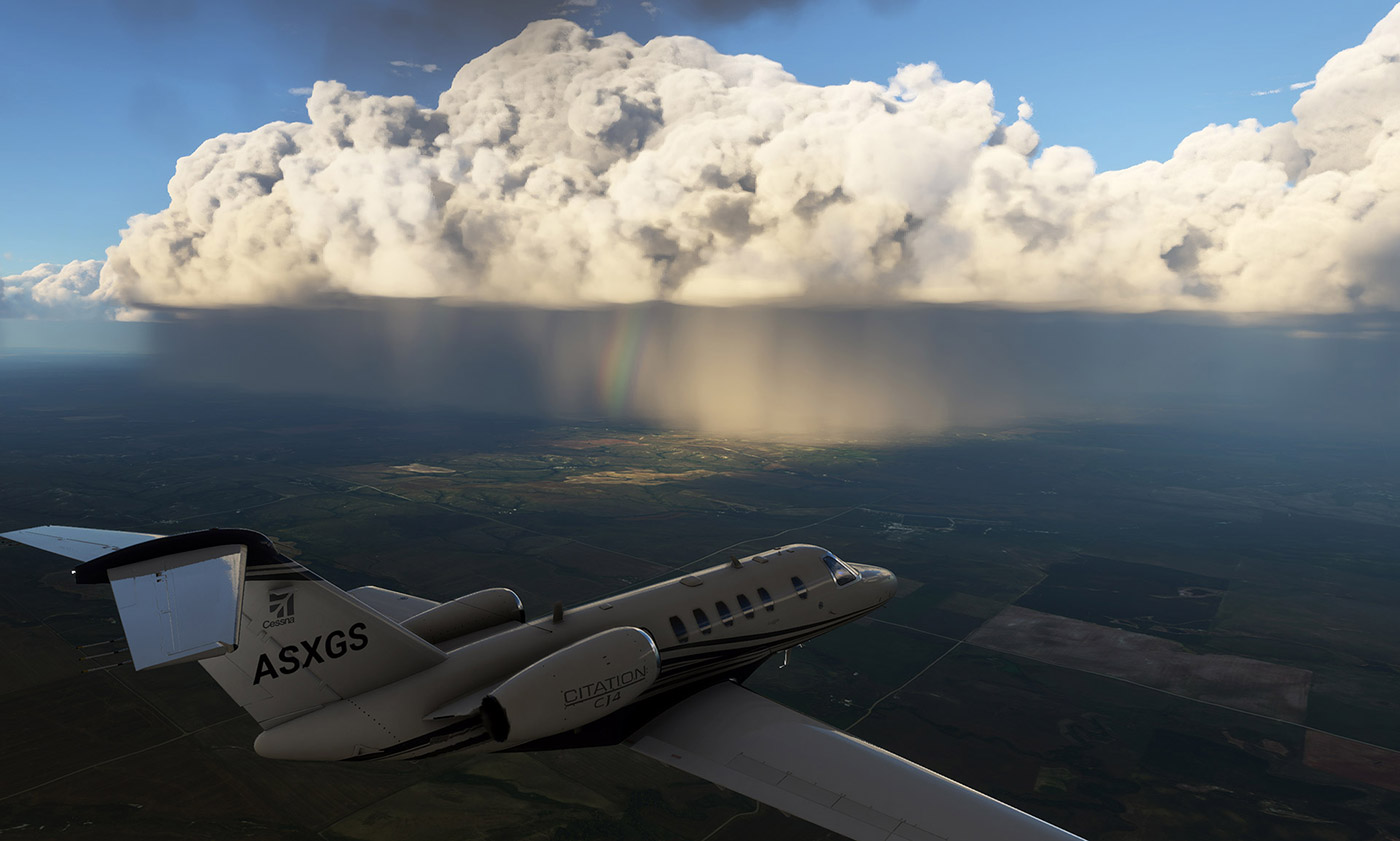
Weather Force is the NEW metar-based dynamic real-time weather engine for Microsoft Flight Simulator.
By utilizing inter-process communication via fine granular control, you will experience automated and dynamic weather transitions from real-world reporting metar stations.
Weather Force also includes a wide range of proprietary dynamic (non-static) weather presets. These presets are unlike other 'static' weather presets because they grow, dissipate and change over time!
With real-time metar data as the foundation, the Weather Force weather engine provides a more realistic weather experience.
- The metar data is updated 6x an hour and downloaded directly from NOAA and can provide accurate results within a 1/8th mile of a given point.
- Weather Force utilizes uniquely built algorithms to combine both metar and model data to cover sparse areas such as deserts and oceans.
- The GFS (Global Forecast System) Model data is downloaded twice daily from NCEP and provides key atmospheric conditions to give a snapshot of temperature and winds aloft.
Remarkably Unique
Weather Force reads remarks provided with live metar reports to determine if storms are near the aerodrome. Thus, even if the automated metar may indicate clear conditions, if remarks indicate storms nearby, storms will be generated near the reporting station as in real life.
Powerful Weather Search
If you are looking to fly at a particular location or in certain weather conditions, Weather Force includes a handy weather search feature that allows you to search by airport or by weather criteria.
Dynamic Changing Weather Presets
To add even more weather interest, Weather Force includes dynamic weather presets (DWP). These presets are dynamic providing various elements of changing weather over the course of your flight. Examples provided are; fair weather, approaching cold front, approaching warm front, hot and humid summer, lake effect snows, winter storm, crisp winter, breezy, spring showers, blizzard, thunderstorm, rainy day and Bob Ross Happy Clouds.
REX periodically adds new and exciting presets, which is automatically added to your application without the need to update Weather Force.
Tracking The Weather
In Weather Force you have the ability to easily track your 10 favorite airports, therefore, clearly identifying what the detailed weather is like at each. If you require a more detailed report, simply click on the ICAO and receive in-depth data about the airport weather conditions.
Behind The Scenes
The Goal – With Microsoft Flight Simulator, we have been provided a powerful weather system as a start. The goal is to provide a more robust weather environment. We have worked diligently to render the weather as it should be, yet stay true to the validity of real-world metar data.
Smoothing Mechanism – In addition, the REX developers have carefully added a smoothing mechanism to the engine to gradually smooth and transition the weather over time between updates. Of course, you have complete control over the weather update factors as well as transition speed.
Changelog
FIXED – Issue with adding duplicate airports. FIXED - Mist conditions not rendering correctly. FIXED - Aircraft proposing with pressure changes. FIXED - Snow rendering adjusted. FIXED - Inaccurate temperature rendering at surface. FIXED – Pressure reporting within simulator. FIXED – Rapid airspeed changes. FIXED – Fixed incorrect wind and air temperature aloft reports. FIXED – Snow not showing in specific areas without an airport. FIXED – Pressure changes causing the aircraft to porpoise. FIXED – Wind direction listed as VRB causing full weather load to fail. FIXED – Overcast clouds causing no clouds to load in second load. IMPROVED – Weather transition rate to maximum of 1500 ms. UPDATED - Integrated additional weather API functions into system. UPDATED – Application update system. ADDED – Ability to search historic/archive weather data. ADDED - Integrated new weather API into system. ADDED - Historic/Archive weather rendering. ADDED – Support for profile.json validation. ADDED – Integrated new security API into system.
User Reviews

mmosoll
VerifiedMay 4, 2024
Great application providing an accurate weather to all flights. Thanks for your work and improving it in all updates.
你就是个托,如此垃圾的产品也发不出来骗钱。很多BUG,也不更新。
REX Weather Force 2020
Experience dynamic real-time weather in Microsoft Flight Simulator with REX Weather Force 2020. Utilizing real-world metar data, enjoy automated and evolving weather transitions. This weather engine offers accurate updates, unique algorithms for realistic coverage, and dynamic changing weather presets for a more immersive flying experience. Track weather at your favorite airports and enjoy a more robust weather environment with REX Weather Force 2020.

Instant digital delivery • Secure payment
Requirements
Additional Requirements
Flight Simulator:
Microsoft Flight Simulator
Windows Operating System:
Windows 10, Windows 11
RAM Memory:
16GB or higher
Hard Drive Space:
10GB
Graphics:
NVIDIA GTX 770 | AMD Radeon RX 570
Internet Connection:
Required for installation, registration, and operation
More by this publisher




Details
- Category
- Utilities
- Release Date
- Apr 8, 2024
- Last Updated
- Jun 22, 2024
- Reviews
- 1
- Compatibility
- MSFS2020