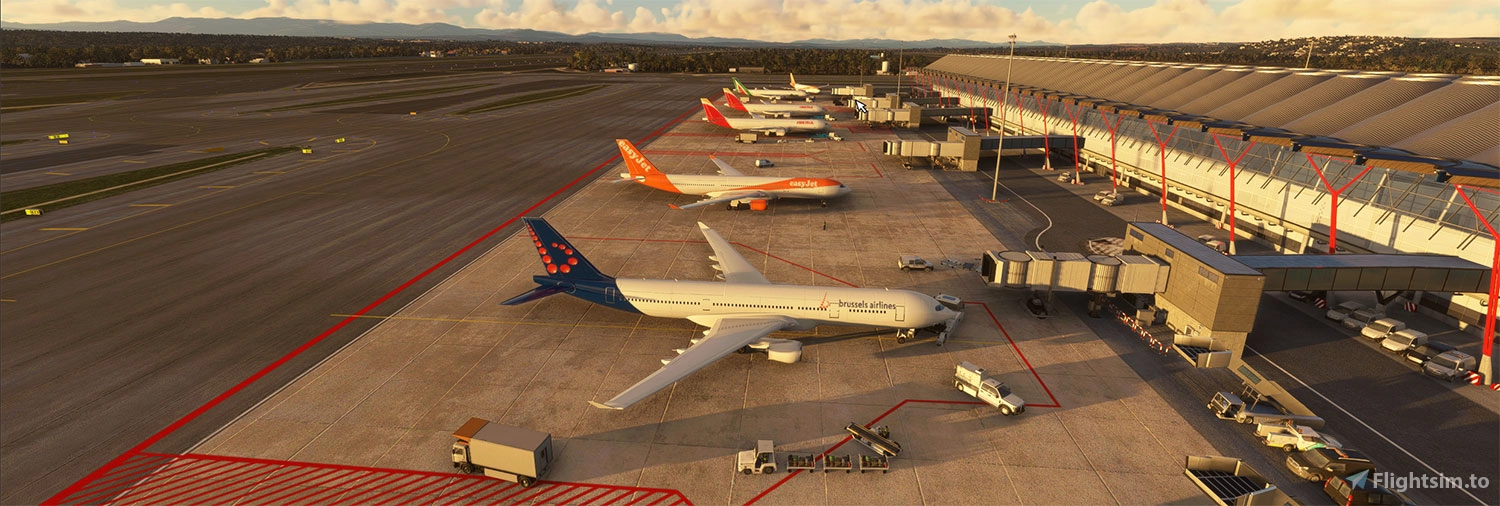
About this addon
Aerosoft Tool Simple Traffic has only one goal: To replace the default fictional liveries of the simulator with existing liveries. So, you see a lot of Delta aircraft at Atlanta, KLM at Schiphol, and Air France around Paris.
It is a DLC for Microsoft Flight Simulator featuring real-world airline liveries and offline traffic routes and schedules. In Online AI mode, real-world liveries are selected according to the live traffic data feed within the sim. In Offline AI mode, liveries are selected according to the offline traffic routes and schedules included with Simple Traffic.
Simple Traffic includes liveries for over 175 real-world airlines, and new airline liveries are being added all the time. Offline AI traffic routes and schedules are derived from over 30 million records of real-world ADS-B flight data enabling pre-Covid airline traffic levels globally within the sim.
Simple Traffic applies liveries to the native MSFS twin and four-engine jet, and regional-jet default AI models, which are optimized to minimize the impact on FPS.
While primarily a stand-alone product it will also work equally well alongside other AI DLC or megapacks, acting as a generic fallback for the airline livery and model combinations those add-ons do not contain.
Features:
- Over 160 airlines included (more added with every update)
- Over 1400 traffic routes for airports included (more added with every update)
- No impact on the framerate
- Zero learning curve, install and forget, all settings are done via the standard simulator user interface
- Fully transparent to other DLC - Compatible with all airports
- Designed to work in AI ONLINE and AI OFFLINE mode
- Fantastic value for money
Due to the nature of this product, there are some limitations and mandatory settings. These are all explained in the manual, and we STRONGLY recommend you check that before buying this product.
User Reviews
No reviews yet. Be the first to share your experience!
Aerosoft Tool Simple Traffic
"Enhance your Microsoft Flight Simulator experience with Aerosoft Tool Simple Traffic, a DLC featuring over 175 real-world airline liveries and offline traffic routes. With online AI mode, liveries reflect live traffic data, while offline AI mode offers pre-Covid airline traffic levels worldwide. Compatible with various AI DLC, Simple Traffic ensures a seamless integration, minimal FPS impact, and easy installation via the simulator interface."

Instant digital delivery • Secure payment
Requirements
Additional Requirements
Installation and Updates run via Aerosoft One, this requires an internet connection and an Aerosoft user account! You cannot use this product without Aerosoft One, and agreeing to Aerosoft's Terms of Service during account creation is requirement for the installation and use of this product.
- Microsoft Flight Simulator (Version 2020)
- OS: Windows 10 / 11
- Processor: Intel i5-8400 | AMD Ryzen 5 1500X
- Graphics: NVIDIA GTX 970 | AMD Radeon RX 590
- Video Memory: 16 GB RAM
- HDD: 2.3 GB
More by this publisher



Details
- Category
- Utilities
- Release Date
- Aug 15, 2022
- Last Updated
- Aug 20, 2022
- Compatibility
- MSFS2020